1. Press the 3 dots (•••) in the top right
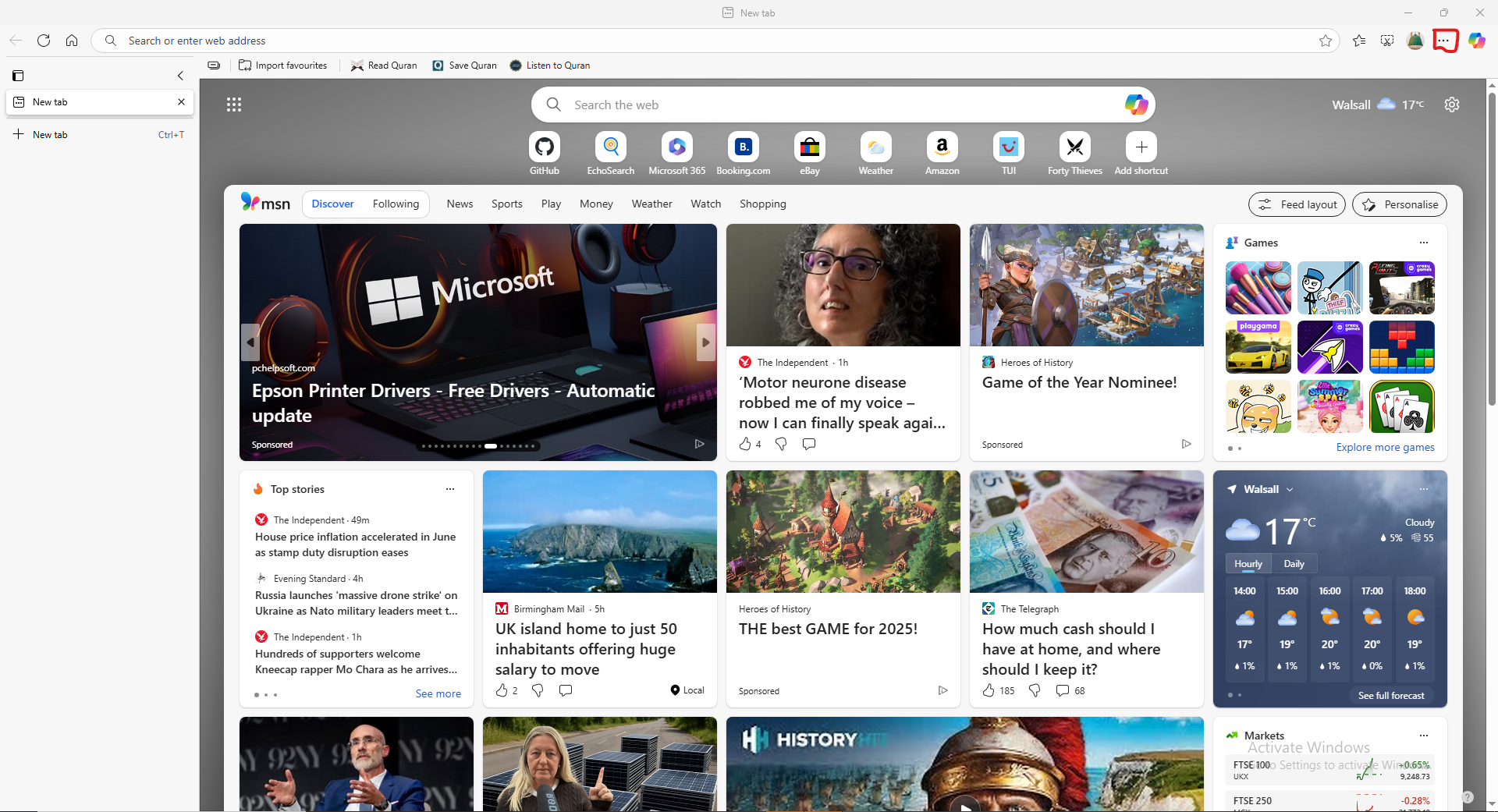
1. Press the 3 dots (•••) in the top right
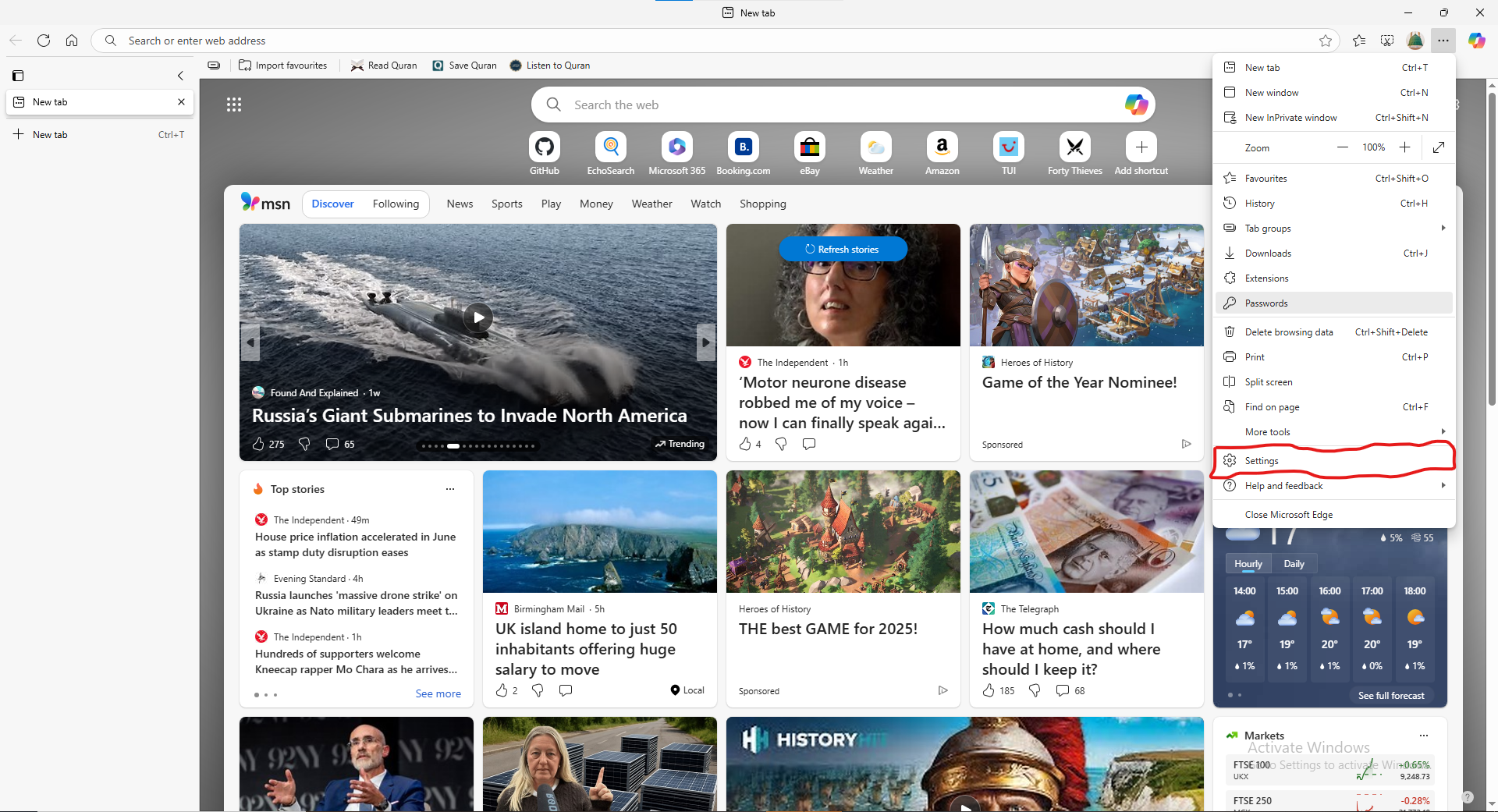
2. Press Settings
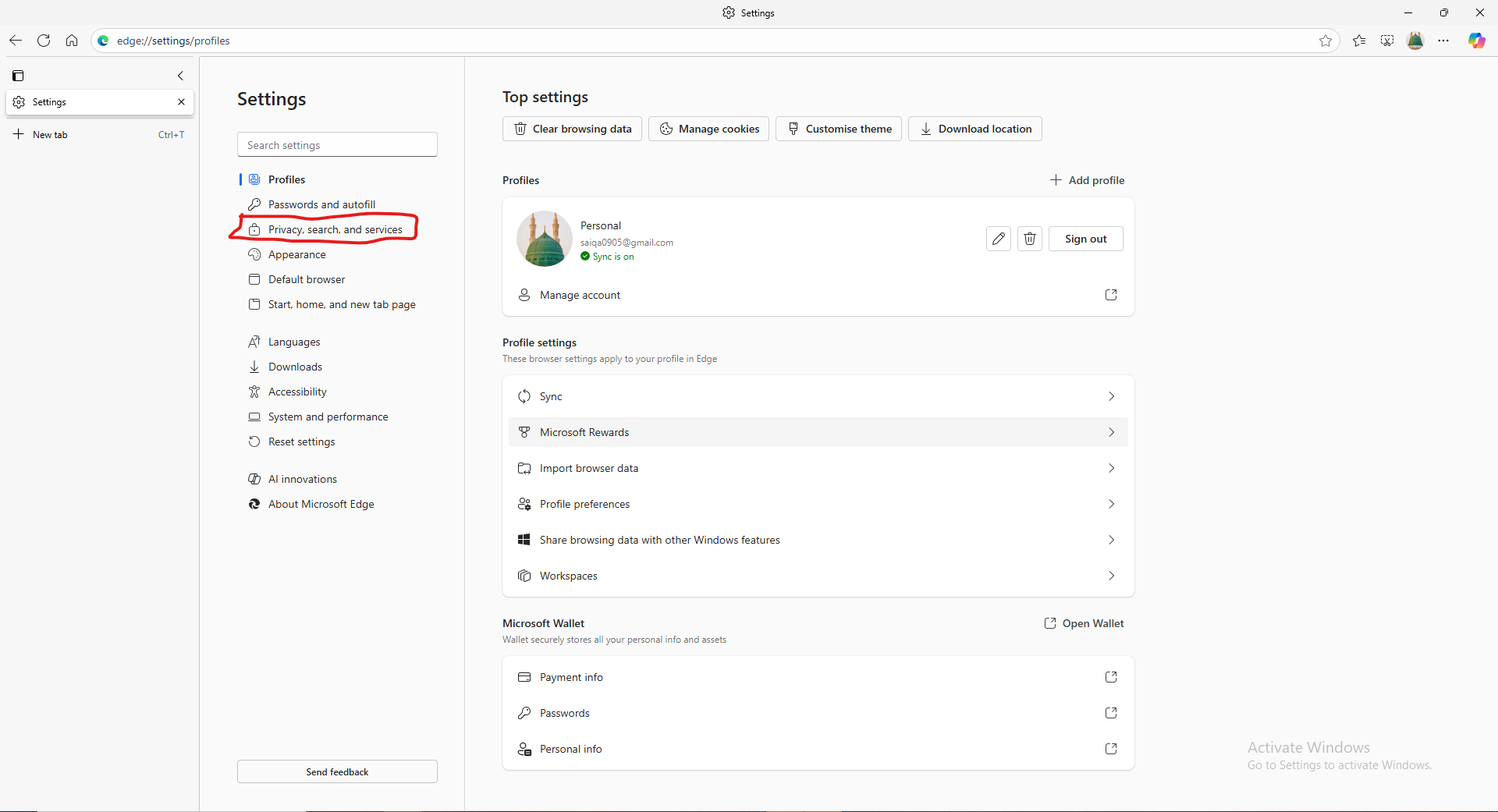
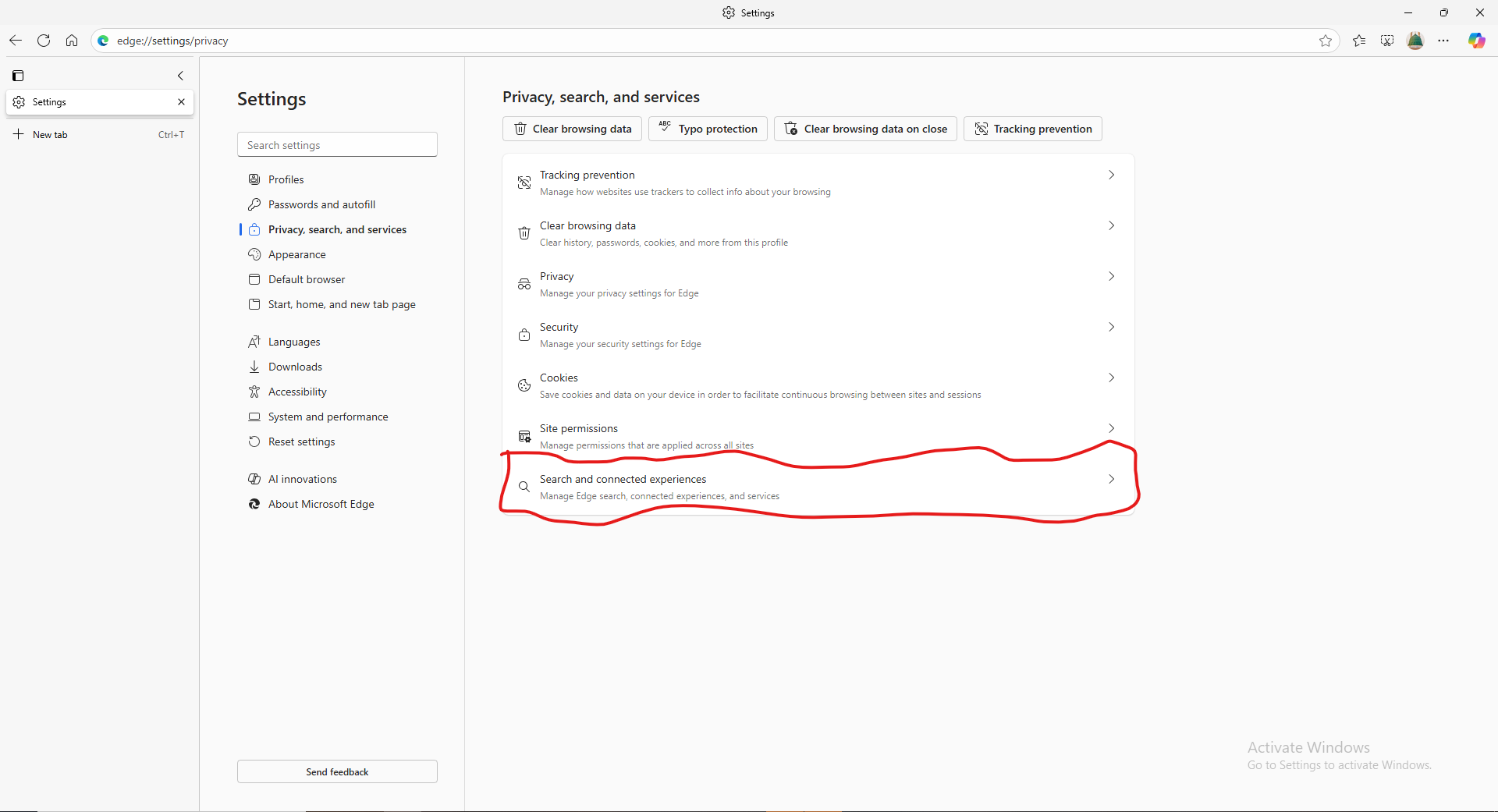
3. Press Privacy, search and services
4. Press Search and connected experiences
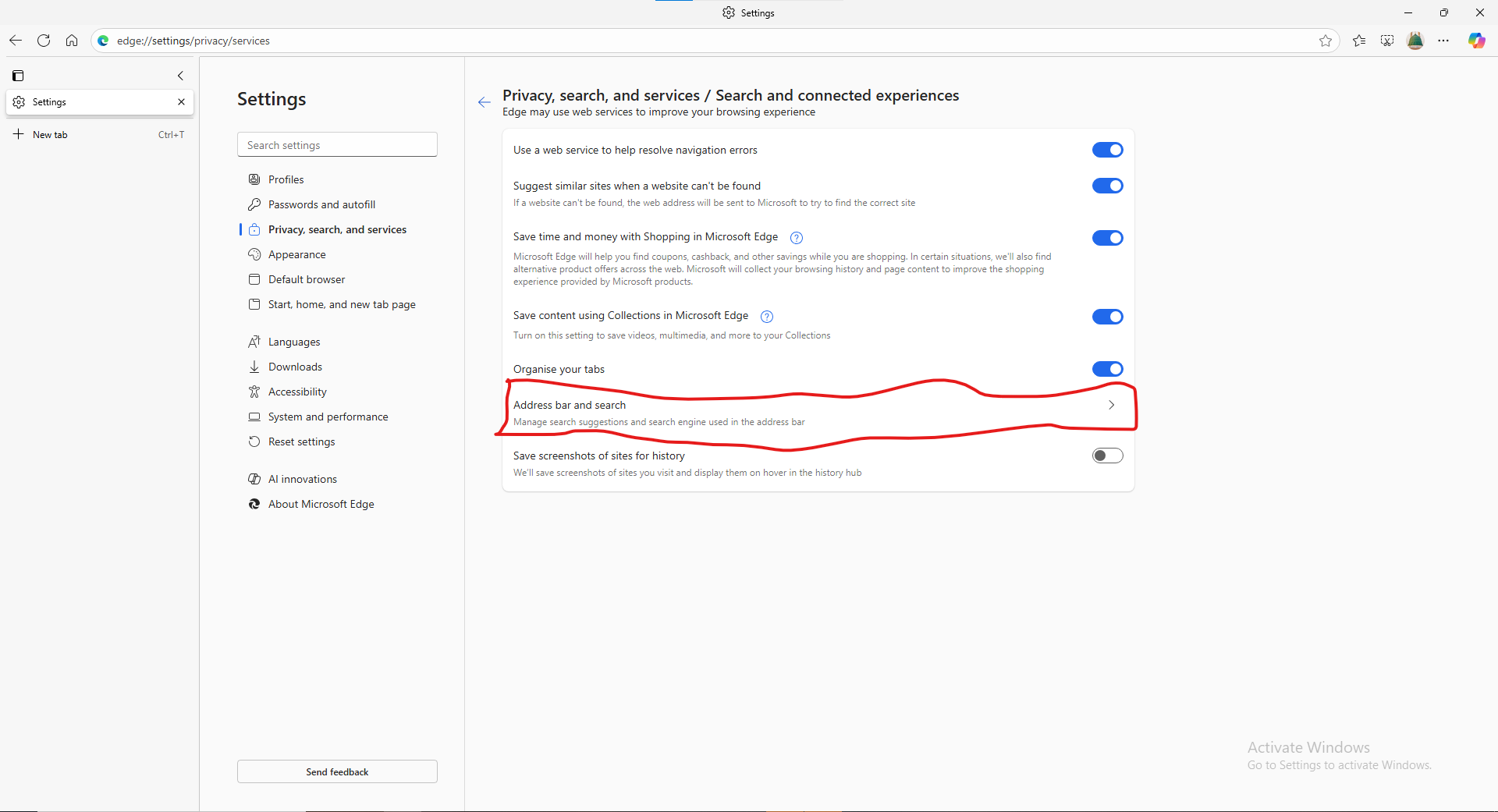
5. Press Address bar and search
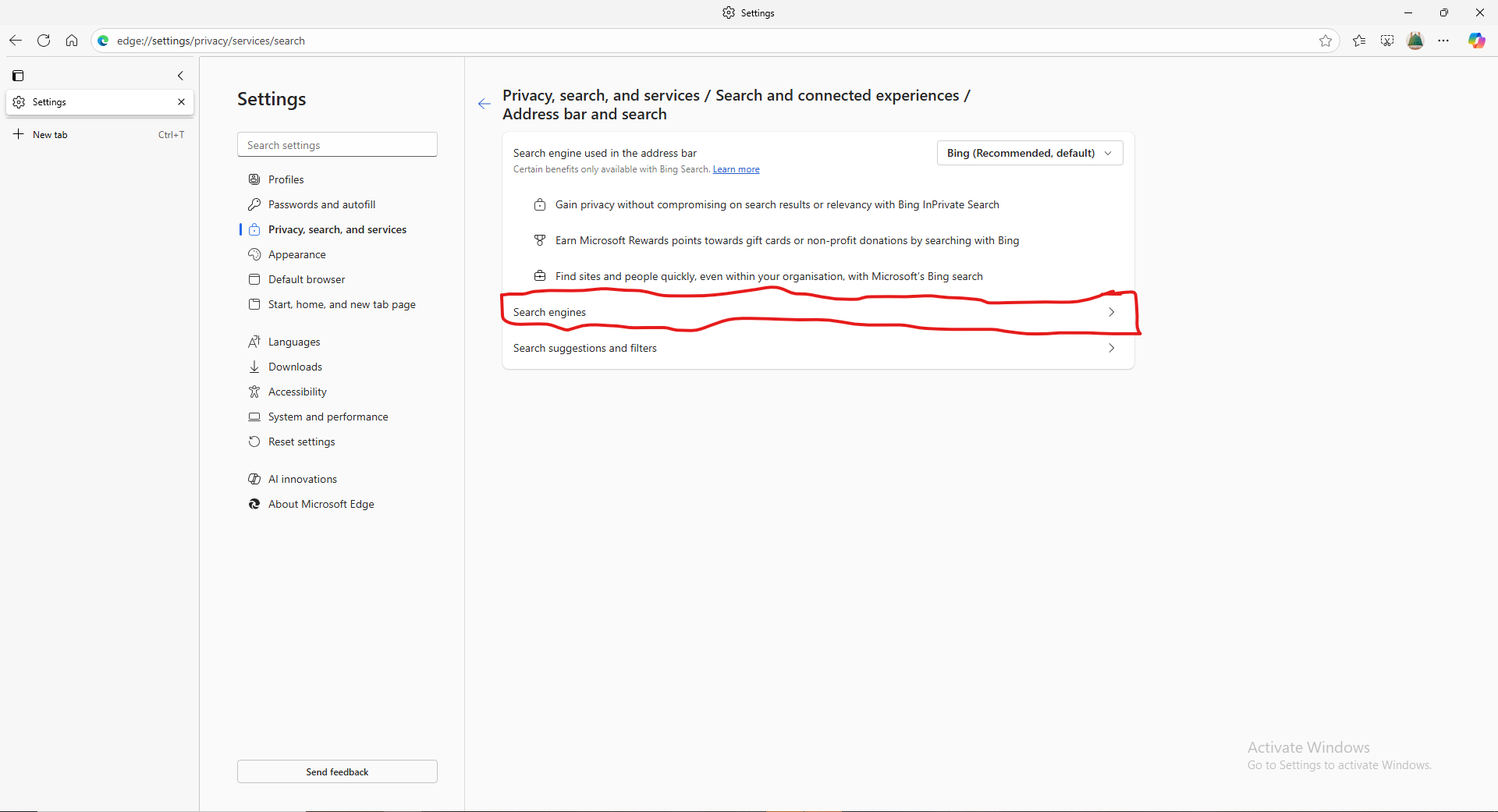
6. Press Search engines
7. Press Add search engine
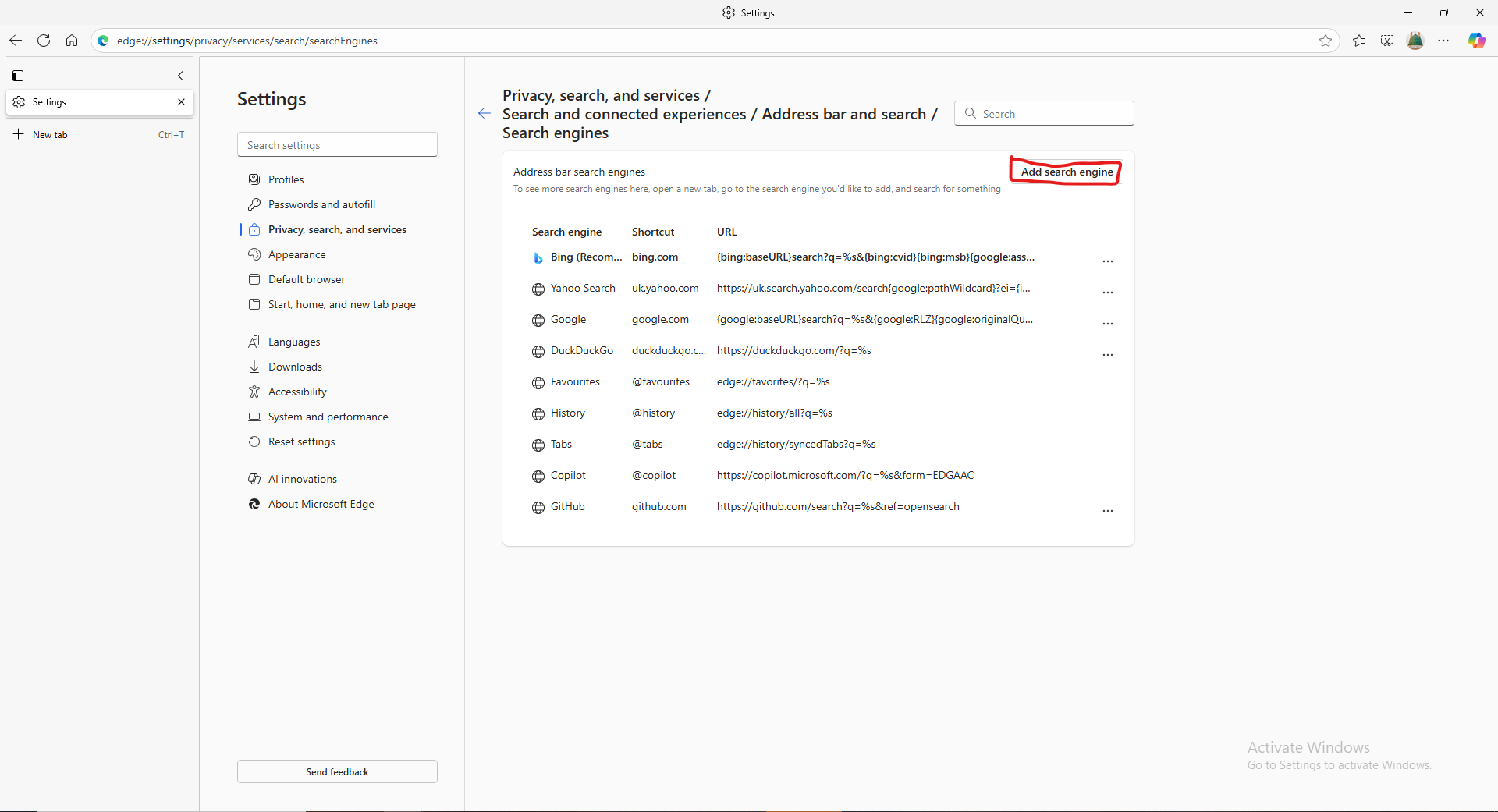
8. Press Add search engine
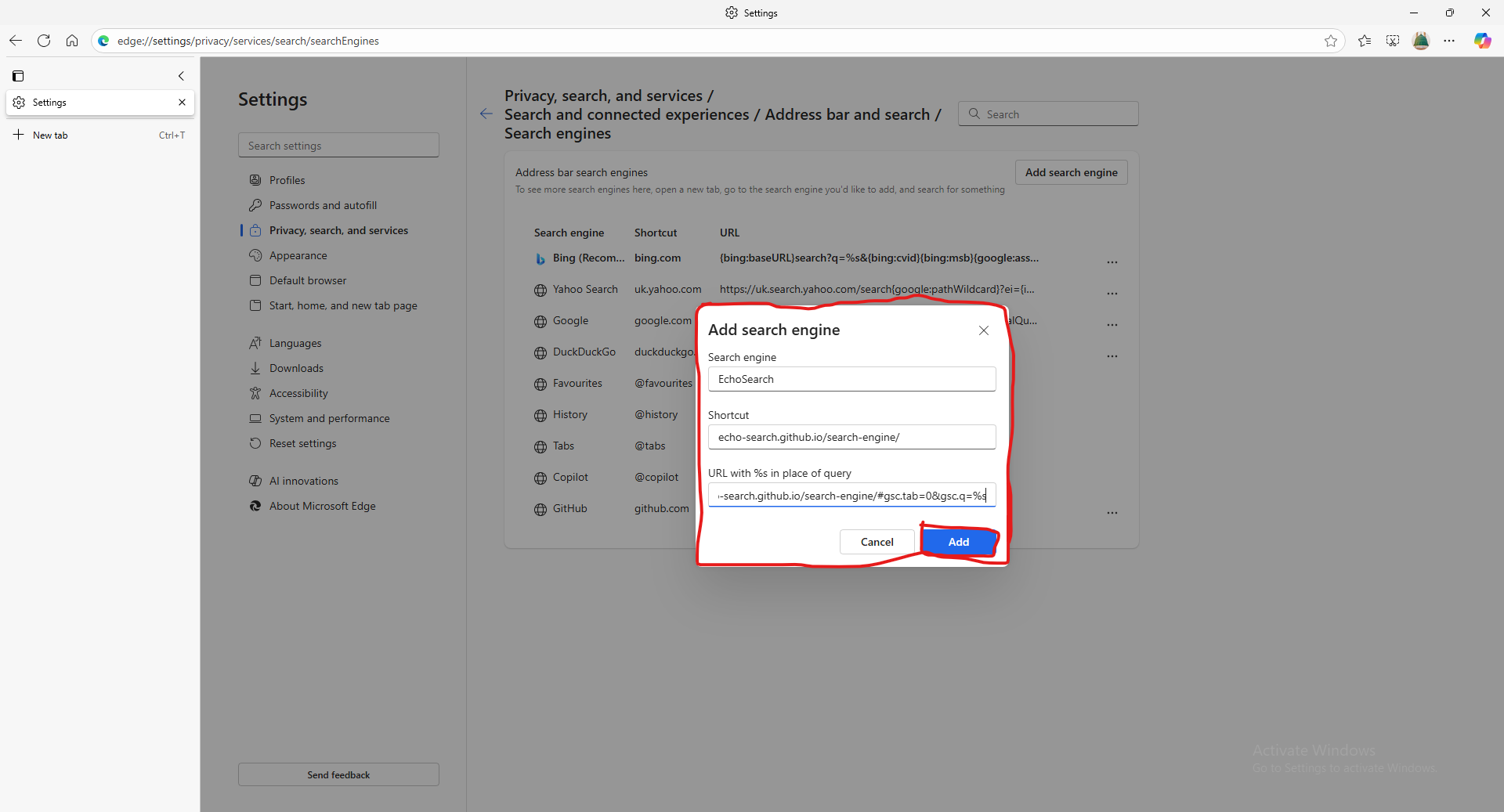
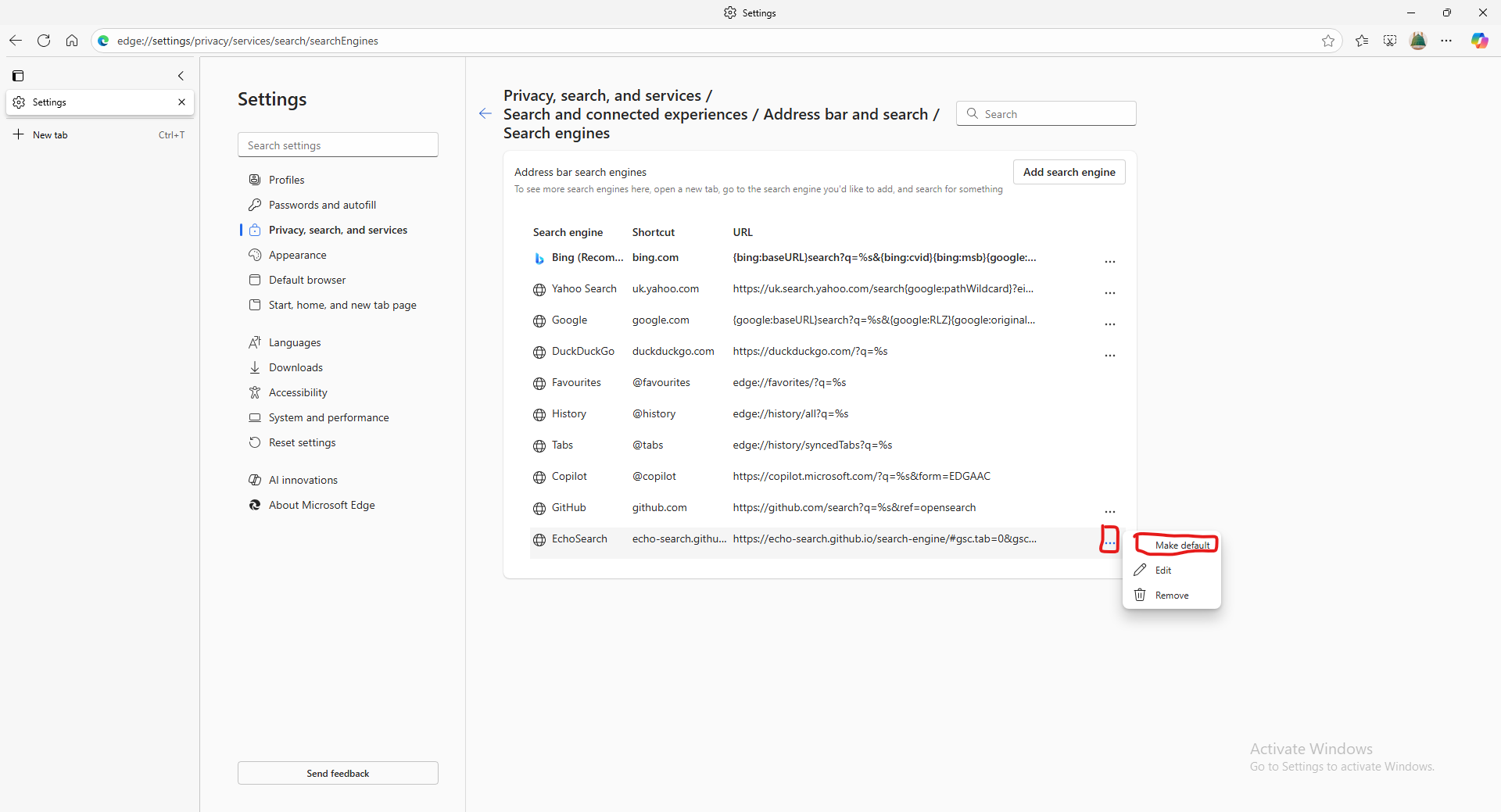
9. Press the 3 dots (•••) next to EchoSearch and press Make default